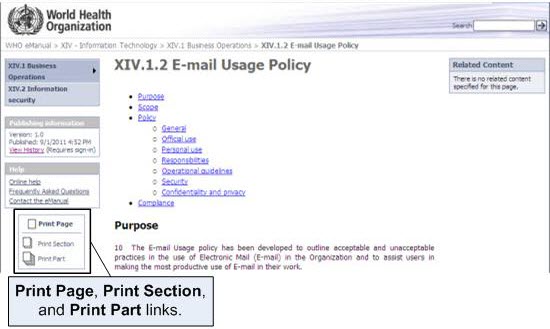
You can print an WHO eManual page, section, or part using the print functions available on every page. Printing generates a PDF file that you can print or save for future reference.
Note: Policies change over time. When you print content from the WHO eManual, it is important to note that the content is only valid as of the date and time indicated on the page. Always refer to the online version of the eManual for the current version of a policy.
To print policy pages
There are three ways to print eManual policy pages:
-
To print a policy page, navigate to the page and click Print Page in the Print box.
-
To print a section, navigate to any page in the section and click Print Section in the Print box.
-
To print a part, navigate to any page in the part and click Print Part in the Print box.